

 English (US)
 Português
 Deutsch
 Español
 Français
 Italiano
 日本 (日本語)
 中国大陆 (简体中文)
The Five-Minute Problem: How Small Workflow Gaps Cost You Hours

Why small workflow steps create big production delays
In many print production environments, inefficiencies don’t always come from the presses themselves. They often come from the small steps that happen between different systems.
When print businesses evaluate new equipment or workflow tools, the focus typically goes to specifications such as engine speed, media flexibility, or cost per click – and these are indeed important considerations.
But another vital productivity factor often goes unnoticed: the time operators spend moving jobs between systems.
Think about how many times a day you download files from emails, or manually enter job details, or check printer status, or update production systems. Each of these actions may only take a few minutes, but when they are repeated dozens or even hundreds of times a day, they quietly add up.
Many production teams experience this as the “five-minute problem.”
The hidden time between print systems
Today’s print environments receive jobs from many different sources. Orders may arrive through email, web to print portals, internal submission tools, or customer ordering systems.
Even with powerful production tools, these systems may not communicate with each other, and operators often still need to perform manual steps to move jobs through the workflow.
Files are downloaded and organised. Jobs are created in the DFE. Settings are selected. Devices are checked. Job status may need to be updated elsewhere once printing is complete.
Individually, these steps may seem minor. But together they introduce friction into the production process.
And every manual step increases the potential for delays, inconsistencies, or errors.
Measuring print workflow efficiency in clicks
One simple way to think about workflow efficiency is to ask a straightforward question:
How many clicks does it take to get a job into production?
In many environments, preparing a job involves a series of small actions—importing files, configuring settings, selecting queues, and releasing the job to print.
But when workflows become more connected, that process can change dramatically.
In one Fiery customer’s production environment, integrating the workflow reduced their job submission process from twelve manual clicks to just one. What seemed like a small change had a noticeable impact over time once it was applied across hundreds of jobs per day.
Operators spent far less time performing repetitive preparation tasks. Jobs moved into production faster. And the workflow became more predictable and consistent.
In practice, the reduction in manual steps saved several hours of operator time every day.
Connecting the workflow
Achieving this kind of efficiency often requires more than simply adding new automation tools. It requires connecting the different systems that make up the production workflow.
These may include web-to-print platforms, order management systems, automation tools, and production devices.
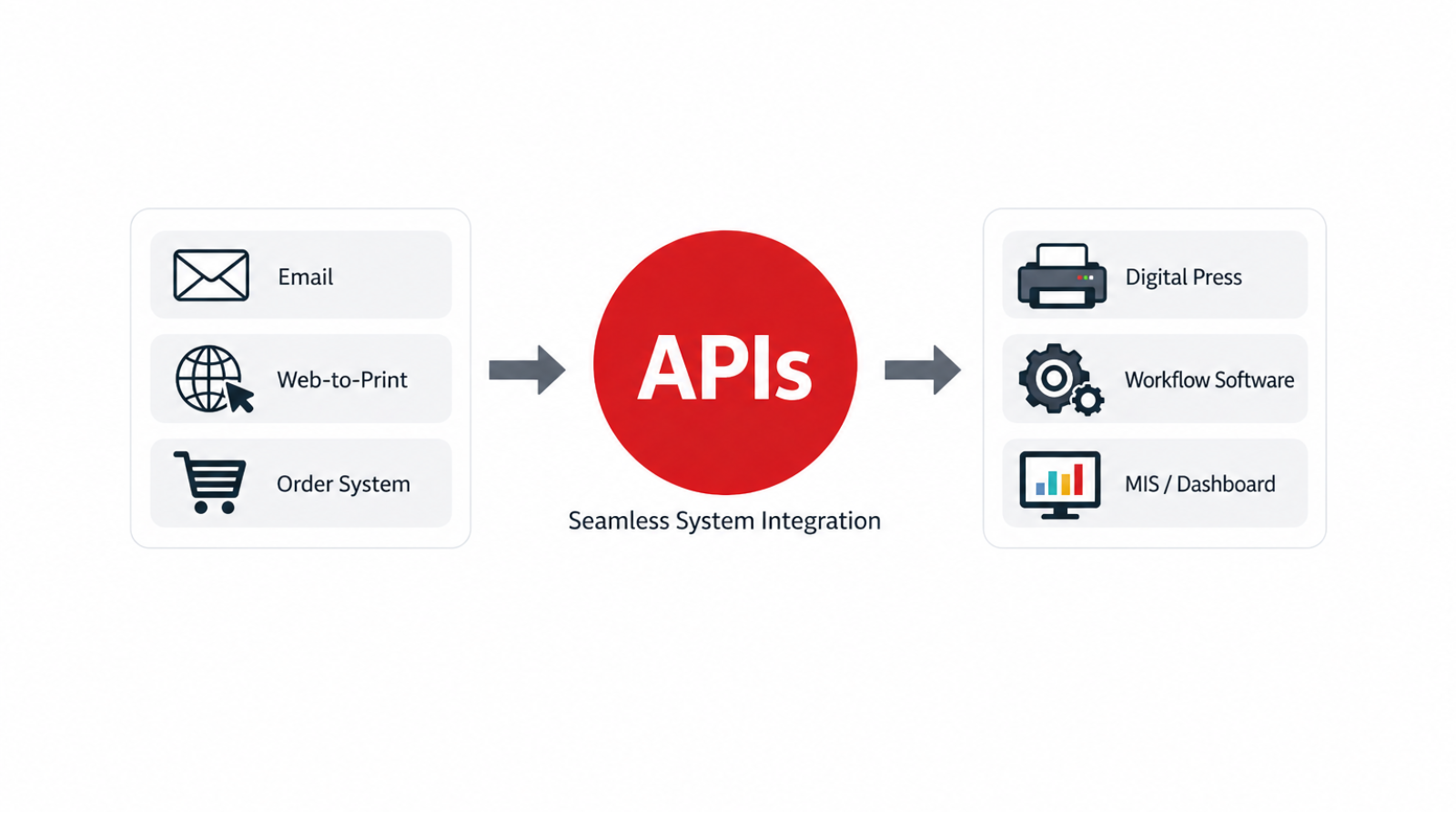
The role of APIs in modern print workflows
Technologies such as APIs make this possible by allowing systems to exchange information and trigger actions automatically.
Instead of operators moving information between systems, print businesses can configure their systems to communicate directly.
A web order can automatically create a production job. A workflow platform can route that job to the appropriate device. Production systems can report completion status back to management tools.
By removing manual touchpoints, these integrations help eliminate many of the small inefficiencies that slow down production.
Moving toward connected print workflows
Automation in print production has evolved over time.
Many print environments first introduced automation through tools such as hot folders, job presets, or scripted workflows. These solutions helped streamline specific tasks, but workflows often remained fragmented across different systems.
Today, print providers are increasingly moving toward connected production environments, where systems share information and trigger actions automatically.
This shift reduces manual steps, improves consistency, and allows operators to focus more on managing production rather than preparing jobs.
API solutions such as Fiery API help enable this level of integration by allowing external systems to interact directly with Fiery-driven production workflows. By supporting automated job submission, device status monitoring, and production updates, they help remove many of the small barriers that slow down production.
The power of a Fiery API
The Fiery API enables you to develop applications and tools tailored to your print business needs. Whether on Windows®, Mac OS, iOS, or Android, you can use your development environment of choice to integrate production-ready core processes like job submission, device status, production data, web-to-print, dashboards and more.
Free for all Fiery users and compatible with all Fiery software platforms (from Fiery FS200 to Fiery FS700 Pro), you can tailor your workflow integration through Fiery Command WorkStation to create the customized solution that delivers the results your business needs.
You can also explore this topic further by watching our Fiery API webinar: Connecting your print workflow, which demonstrates how integrated workflows help eliminate manual touchpoints and improve production efficiency.

Solving the five-minute problem in print production
In many cases, solving the five-minute problem doesn’t require faster presses or more staff. It simply requires making the systems in the workflow work together.
And sometimes, the difference between a manual workflow and a connected one can be measured in something surprisingly simple: how many clicks it takes to print a job.
With a Fiery API, you can build your own custom, scalable solutions that eliminate manual steps and create the lean, streamlined solutions that help your print business thrive.