
 English (US)
 Português
 Deutsch
 Español
 Français
 Italiano
 日本 (日本語)
 中国大陆 (简体中文)
Fiery ColorRight Package
Get your colour right.
Fiery ColorRight Package is a powerful suite of tools designed to help print providers adjust and correct colour and images in files—even without being colour experts. It’s ideal for shops that need to meet high customer expectations for colour, reduce rework and waste, and produce more sellable prints.


Overview
Fiery® ColorRight Package, for Linux-based Fiery servers, delivers expert-level colour control with tools that ensure accurate, consistent, and vibrant results across every job. From brand colour management and soft proofing to real-time image correction and file troubleshooting, it empowers operators to hit brand colours, ensure sellable prints, and satisfy even the most demanding clients.
Key functions in the Fiery ColorRight Package include:
- Make last-minute image and colour-quality edits right in Fiery Command WorkStation
- Accurately reproduce brand colours with advanced spot colour editing
- Minimize errors and waste with powerful soft-proofing, colour-control, and inspection tools
Fiery ColorRight Package is available as a term-based license that can range from 1 to 5 years starting on the date of activation. You can purchase this license from your Fiery reseller.
What’s New
New features in Fiery Command WorkStation 7.3
Get more details here.
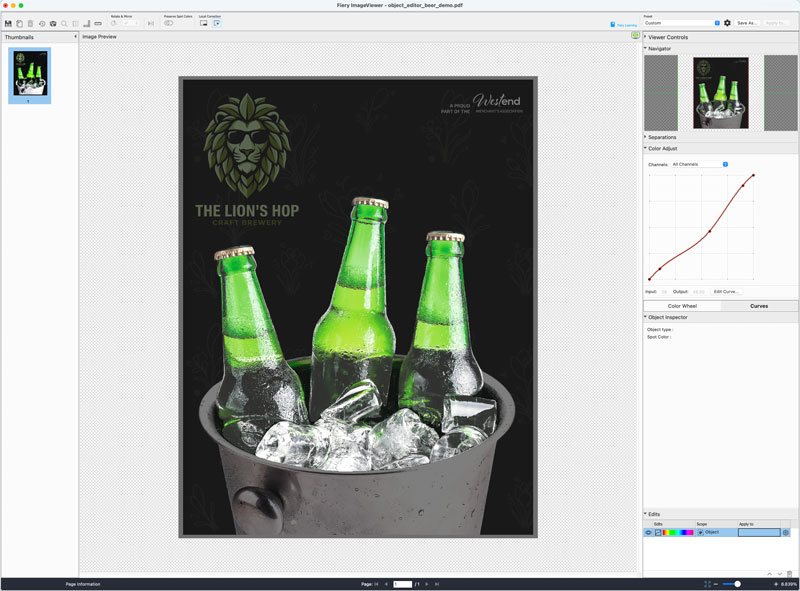
Object Editor
Requires Fiery FS800 Pro/FS800 software
Use AI-powered object detection in Fiery ImageViewer to automatically identify and isolate individual objects on a page, so you can make precise colour corrections without returning to design applications or re-RIPping files.
Learn more
Watch the video
Features
The following features are included with Fiery ColorRight Package.
Fiery ImageViewer
View and edit raster (RIPped) files at full resolution. Learn more about Fiery ImageViewer.
- Adjust colour curves and save as a preset
- Replace specific colours throughout a file or on a selected page
- Export soft proofs
- View separations for CMYK and specialty colours
- View and adjust image placement on a sheet

Fiery Spot Pro
Powerful spot colour management tools that deliver accurate brand colours. Learn more about Fiery Spot Pro.
- Ensure consistency from design to print
- Customise spot colours to meet client expectations
- Achieve highest possible spot colour accuracy
- Edit spot colours in a job
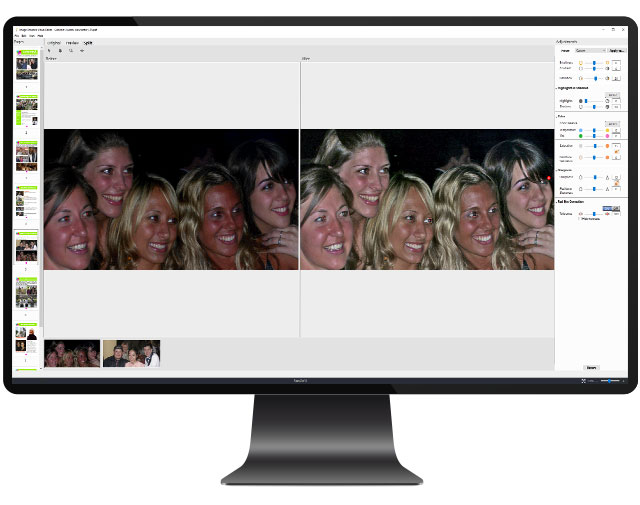
Fiery Image Enhance Visual Editor
On-the-fly colour correction for individual images. Learn more about Fiery Image Enhance Visual Editor.
- Correct images right in Fiery Command WorkStation with no need to go back to the original design file
- Correct tone and colour, and sharpen or smooth individual images on the page
- Achieve automatic red eye correction with an on-screen preview

Fiery Postflight
Visual tool to identify page element errors. See a colour-coded report that shows:
- Colour spaces
- Spot colours
- Calibration information
- Also includes a printer test page to help identify engine defects

Fiery Control Bar
Customised process control bars
- Choose from Idealliance/Fogra or custom colour bars
- Customise job information shown
- Flexible page placement
- Use with Fiery Verify to measure colour against industry standards
Resources
Fiery ColorRight Package is available for Linux-based Fiery servers running FS400 or newer software. Find out more.
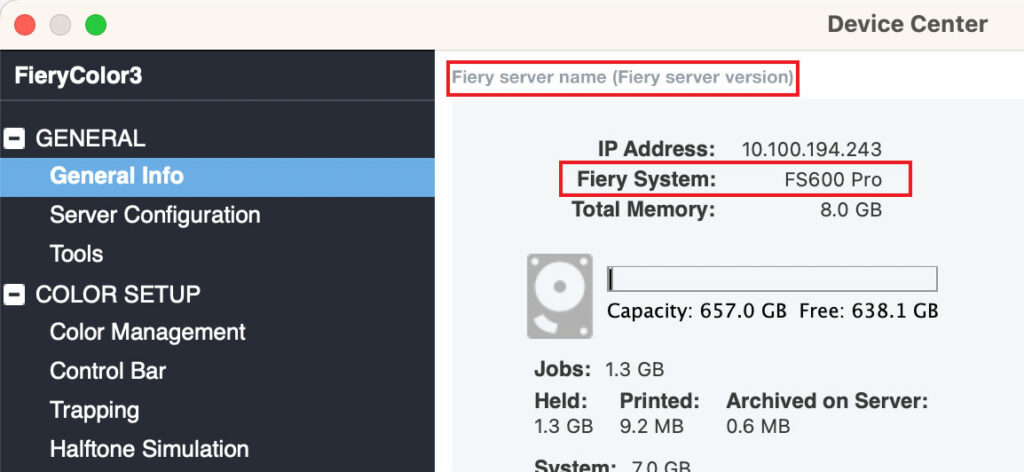
How do I find which Fiery System and Fiery server version I have?
Your Fiery System version is listed in the Device Center General Information tab in Fiery Command WorkStation. This information also is accessible on the Fiery configuration page printed via the Fiery server.
Brochures
Fiery Spot Pro brochure
Product information for Fiery Spot Pro. Powerful spot color management tools that deliver consistent, accurate brand colors
Datasheets
Fiery ColorRight Package datasheet
With the Fiery ColorRight Package, you can be confident that the color and images in your output will print correctly every time. Use this professional set of visual tools to easily correct color and images without going back to the designer.
FAQs
Q&A – World of Fiery webinar: Techniques and solutions to maintain great color
Questions and answers from World of Fiery webinar: Techniques and solutions to maintain great color
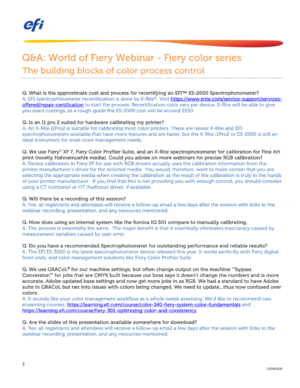
Q&A – World of Fiery webinar: The building blocks of color process control
Questions and answers from World of Fiery webinar: The building blocks of color process control