
 English (US)
 Português
 Deutsch
 Español
 Français
 Italiano
 日本 (日本語)
 中国大陆 (简体中文)
Fiery XF
RIP, colour management, and workflow for large format print production
Precise, productive, profitable print production
Transform your wide-to-superwide print production with the Fiery® XF 9 digital front end — the easiest way to achieve exceptional colour results, boost productivity, and maximize your return on every print, all powered by the unmatched capabilities of Fiery Command WorkStation®.

2025 PRINTING United Alliance Pinnacle Award
Best RIP Software
Fiery XF 9
Getting started with Fiery ColorGuard for Fiery XF 9
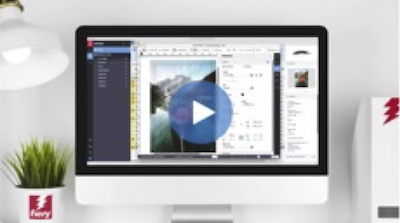
Fiery XF 9 highlights
Fiery FreeForm Create 2.0
Fiery ColorGuard with Fiery XF 9
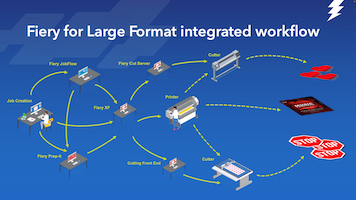
The Fiery for Large Format integrated workflow
Overview
As a digital print producer, you need the simplest route to the best colour and print quality, delivered in the least amount of time. Operators require a workflow solution that can adapt to different job types while automating repeat jobs and repetitive tasks. In a successful print facility, you need to deploy both your technology and workforce as flexibly as possible, while keeping learning curves to a minimum.
Unrivalled print job management
Fiery Command WorkStation, the world’s most popular digital print job interface, is the client for Fiery XF 9. It connects multiple printers and Fiery servers — inkjet or cutsheet — for unified job management. The visual Fiery Job Editor lets you adjust job settings on the fly, while Fiery Job Center delivers powerful, easy-to-use management for both Windows® and macOS® users. Learn more.
Maximum productivity and throughput
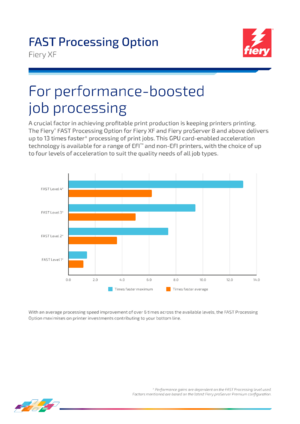
With Fiery XF 9, you get exclusive FAST RIP technology that boosts RIPping speeds by up to 5 times, while the CUDA-enabled FAST Processing Option accelerates file processing by up to 13 times. Its flexible automation and customizable, award-winning interface adapt to your workflow, reduce learning curves, and help you maximize productivity in mixed-technology print production. Learn more.
* FAST Processing performance gains are dependent on the FAST Processing level used. Factors mentioned are based on the latest Fiery proServer Premium configuration. FAST Processing acceleration is applied on top of FAST RIP.
Ultimate colour, quality and control
With proof-grade colour controls and verification, you get industry-standard results no matter the application. Fiery-developed ICC colour management, combined with advanced spot and process colour optimisation, delivers superior colour. Optimised screening algorithms let you maximize print quality and performance, giving you precise colour, quality, and control in less time. Learn more.
Configurations
Fiery XF is scalable and configurable so it can grow with your business and your needs. A range of configurations gives you the best fit for a variety of print production scenarios. You can also purchase additional options to meet changing needs and customer demands. At least 1 printer option needs to be added to each configuration.
View system requirements.
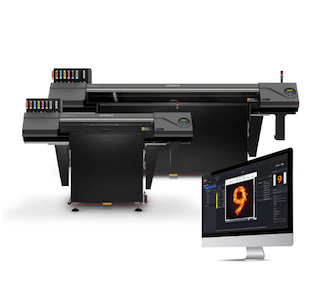
Fiery XF Production
Fiery XF Production is the perfect fit for inkjet production customers who have one or more non-EFI printers. With Fiery XF Production you get:
- Fiery XF server software for Windows® including:
- Color Profiler Option
- Cut Marks Option or Cut Server Option
- Spot Color support
- FAST RIP
- No printer option included. Requires the addition of at least 1 printer option
- Unlimited macOS® or Windows® installations of Fiery Command WorkStation
- Up to 10 concurrent connections
- 1-year Software Maintenance & Support Agreement
View printer and product options
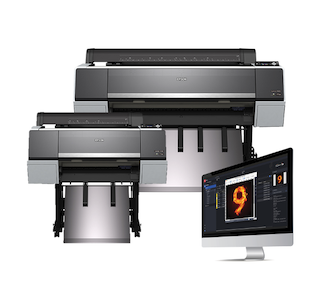
Fiery XF Proofing
Over 70,000 registered licensees can’t be wrong: Fiery XF Proofing is the most trusted proofing inkjet RIP. With Fiery XF Proofing, you get:
- Fiery XF server software for Windows® including:
- Color Profiler Option
- Color Verifier Option
- Spot Color support
- FAST RIP
- No printer option included. Requires the addition of at least 1 printer option
- Unlimited macOS® or Windows® installations of Fiery Command WorkStation
- Up to 10 concurrent connections
- 1-year Software Maintenance & Support AgreementView printer and product options
Options
With Fiery XF options, you can add printer support and features to meet changing business needs and customer demands.
Printer Options
Printer Options add support for thousands of different printer models. Fiery XF configurations require at least 1 printer option to be added. Printer support falls into six different printer groups. Details of supported printers can be found here.
Color Profiler Option
Included with all configurations, this option delivers colour precision, consistency and accuracy. The Color Profiler Option is based on the renowned Fiery Color Profiler Suite. The advanced tool set provides quick and easy ICC and device link profile creation that produces the highest quality results every time, increasing your customer satisfaction. The option enables you to inspect, edit, and optimise profiles plus compare profile gamuts giving you ultimate control over your colour output.
Download Datasheet
Spot Color Option
The Spot Color Option — included with all Fiery XF configurations — ensures perfect spot colour matching on every print. It allows you to produce consistent colours across all medias preserving brand identities. Built-in spot colour systems from Pantone®, HKS®, Toyo® and DIC® ensure that Fiery XF’s definitions match the original definitions. The most demanding customer requirements will be satisfied with sophisticated tools for defining spot colour transparencies, gradation curves and much more.
Download Datasheet
Color Verifier Option
The Color Verifier Option — included with Fiery XF Proofing — brings quality control to your environment enabling employees anywhere to work with the same colours, and produce consistent colour output every time. This flexible option supports a variety of measuring devices and industry standard control strips, plus Fiery’s unique Dynamic Wedge™ technology for job-specific colour verification. You can check your results against ISO standards, or your own quality standards by defining individual tolerances and values. It can also cut your distribution costs by serving as a reliable remote proofing and printing solution.
Download Datasheet
Cut Marks Option
Included with Fiery XF Production, the Cut Marks Option generates and places cut marks into your jobs, and can also extract multiple cut paths from them. The option can directly connect to the Zünd Cut Center which ensures a reliable cut workflow by eliminating errors and automating time consuming tasks. This option also includes iCut level 1 and 2 output for maximum flexibility and connectivity to any compatible third party cutting application.
Download Datasheet
Cut Server Option
This automated solution, powered by SAi technology, supports over 2,100 cutting devices and routing tables from more than 135 different manufacturers, saving you precious time by eliminating the need to work with different software for each cutter type. The Cut Server Option increases your productivity by connecting together your printed output and finishing processes. It lets you run up to 1 cut server, which in total allows you to drive up to 2 cutting engines in parallel to meet those tight turnaround times. Best of all, the option is easy-to-use and configure; anyone can use it, regardless of their experience level.
Download Datasheet
FAST Processing Option
Accelerates job processing by an average of 6* times and up to 13* times to keep printers** running at capacity to maximise printer investments.
* Performance gains are dependent on the FAST Processing level used. Factors mentioned are based on the latest Fiery proServer Premium configuration.
** See the supported printer list for FAST Processing support.
Download Datasheet
Ink Saving Option
For selected printers*, the Fiery Ink Saving option can reduce your ink consumption buy up to 40%** while still maintaining the optimal image quality for your job types.
* See the supported printer list for Fiery Ink Saving support.
** Savings are dependant on print job and conditions.
Download Datasheet
OneBit Option
Enables the production of halftone proofs that match the final print output by using the same screened data intended for CTP/CTF production.
It supports a wide range of OneBit file formats, allowing for a “RIP Once, Output Many” workflow. This ensures that both dots and color on the proof precisely match the final press run, helping catch errors early, reduce waste, streamline production, and enhance customer satisfaction.
Download Datasheet
Sign Flow Option
For selected EFI printers, the Sign Flow Option streamlines the production and installation of in-store campaigns in several ways. It delivers the fastest possible print-production by only needing to RIP new print files, existing RTL files can be retrieved from file storage to complete a print run. Plus, Sign Flow can print signs and panels in any sequence which can be predefined for the most time-efficient in-store installation saving both production time and installation costs.
Download Datasheet
Resources
Brochures
Fiery XF brochure
RIP, color management, and workflow for large format print production
Fiery solutions for Large Format applications
The range of Fiery solutions and options for Large Format applications
Datasheets
OneBit Otion Datasheet
OneBit file processing for halftone proofing
FAST Processing Option
CUDA-enabled job processing acceleration
Spot Color Option
Spot Color Option for Fiery proServer and Fiery XF
Color Profiler Option
Color Profiler Option for Fiery proServer and Fiery XF
Fiery Samples How-to Guides

Fiery Edge Test Form 12 x 18
Fiery® Edge™ Test Form 12 x 18 — Print with a Fiery Edge media profile

Fiery Edge Comparison Test Form 12 x 18
Fiery® Edge™ Comparison Test Form 12 x 18 — Print on an alternate system

Fiery Intensify Test Form A3
Fiery® Intensify™ Test Form A3 — Print with Saturation/Presentation rendering intent

Fiery Intensify Test Form SRA3
Fiery® Intensify™ Test Form SRA3 — Print with Saturation/Presentation rendering intent
Download
The latest, and previous versions of Fiery XF can be found at the Fiery Download Center.