

 Português
 Deutsch
 English (UK)
 Español
 Français
 Italiano
 日本 (日本語)
 中国大陆 (简体中文)
Digital Factory – OKI™ Edition
RIP and color control optimized for OKI™ white toner printers
Superior whites. Reliable transfers. Simpler workflows.
Digital Factory OKI Editions deliver advanced color management and streamlined production tools designed specifically for OKI white toner printers. From entry-level models to professional Pro-Series devices, this software enables precise control of color and white toner handling, while optimizing every stage of the print workflow. Whether you’re producing short-run graphics, transfers, or specialty applications, you’ll get vibrant, consistent results—every time.

Introducing Digital Factory 12

Overview
Digital Factory OKI Editions are purpose-built RIP software solutions developed specifically for OKI white toner printers. More than just a print driver, they offer advanced color management, automated white toner handling, and streamlined print workflows for exceptional output across a wide range of OKI devices—from desktop to professional-grade production models.
Available in two editions to fit your production needs:
- Digital Factory OKI Edition – Designed for small to mid-volume users looking to get more from their OKI white toner printer. Ideal for basic workflows that need reliable color control, white toner management, and production-ready results.
Supports: C3xx Series, C6xx, C7xx, C8xx Series, C843 Series, C8432WT, Pro 7411WT, Pro 9420WT. - Digital Factory OKI Pro Edition – A more comprehensive solution for high-output environments or users running advanced workflows. Delivers all the same benefits of the standard edition with extended printer support and enhanced production tools. Supports: All printers above, plus C911, C931, C941, C942, Pro 9431 Series, Pro 9541 Series, Pro 9542 Series, Pro 9541WT, and PRO 1040/1050 Series.
New Next-Gen UI
Accessing powerful production tools is now faster and more intuitive with the updated interface. The redesigned UI streamlines navigation, enhances visibility, and simplifies task management. Expanded queue tabs, job lists, previews, smart bars, and process panels help reduce time spent searching through menus so you can stay focused on production.
Re-Designed Smart Bar
The reimagined Smart Bar introduces simplified control groupings called “Cards” that improve usability for both new and experienced operators. Clear icons and helpful tooltips make it easy to access key functions quickly, improving workflow efficiency across the board.
True Shape Nesting
True Shape Nesting improves media utilization by nesting items based on their actual shape rather than simple bounding boxes. This minimizes gaps, reduces material waste, and supports tighter layouts—ideal for high-volume workflows where efficiency and savings matter.
What’s New
Gang Sheet Builder – Enhanced in 12.1
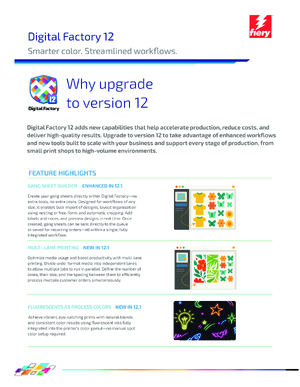
Create your gang sheets directly within Digital Factory—no extra tools, no extra costs. Designed for workflows of any size, it enables bulk import of designs, layout organization using nesting or free-form, and automatic cropping. Add labels and notes, and preview designs in real time. Once created, gang sheets can be sent directly to the queue or saved for recurring orders—all within a single, fully integrated workflow.
Multi-lane Printing – New in 12.1
Optimize media usage and boost productivity with multi-lane printing. Divide wide-format media into independent lanes to allow multiple jobs to run in parallel. Define the number of lanes, their size, and the spacing between them to efficiently process multiple customer orders simultaneously.
Fluorescents as process colors – New in 12.1
Achieve vibrant, eye-catching prints with natural blends and consistent color results using fluorescent inks fully integrated into the printer’s color gamut—no manual spot color setup required.
Saturation Rendering Intent
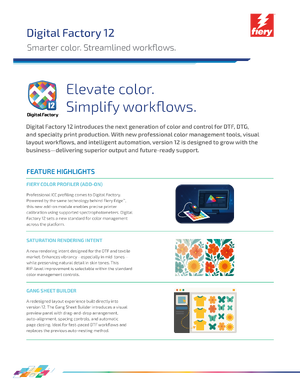
A new rendering intent designed for the DTF and textile market. It enhances vibrancy—especially in midtones— while preserving natural detail in skin tones. This RIP‑level improvement is selectable within the standard color management controls.
Precision Color with the Fiery Color Profiler (Add-on)
Professional ICC profiling comes to Digital Factory. Powered by the same technology behind Fiery Edge™, this new add-on module enables precise printer calibration using supported spectrophotometers. Digital Factory 12 sets a new standard for color management across the platform.
Enhanced markup system for smarter finishing
The updated markup system brings more control to every stage of production. New features include multi-side job labels, pull-cut indicators, print length tracking, and individual mark rotation. Together, these upgrades streamline cutting, pressing, and post-print tasks—ensuring greater accuracy from layout to final output.
Add-ons
With Digital Factory add-on modules, you can add expanded tool sets or printer support and features to meet changing business needs and emerging new markets.
Fiery Color Profiler
The Fiery Color Profiler is an optional module for Digital Factory 12 that enables professional-level color calibration. Built on the same advanced engine used in Fiery’s color technology, it helps deliver consistent, repeatable color output.
Buy as an add-on
FluidMask
FluidMask integrates seamlessly into Digital Factory to let you remove unwanted image backgrounds with precision and speed. This module adds intuitive edge-detection and fine-detail selection tools to simplify image masking—right from within your existing Digital Factory environment.
Buy as an add-on
Automatic Job Sorter (AJS)
AJS lets you define file sorting rules by name, folder, or production criteria. Files are imported, categorized, and sent to the correct output queue without manual input—ideal for high-volume or multi-printer workflows.
Buy as an add-on
Digital Factory Contour Cutting Module
The Contour Cutting Module extends your Digital Factory software with powerful, professional-grade contour cutting capabilities. Ideal for users working with direct to film, sublimation, and other specialty print workflows, this module enables seamless print-and-cut production using supported cutters and devices.
Buy as an add-on
Resources
Datasheets
Digital Factory 12.1 Datasheet
Datasheet for new version of Digital Factory 12.1
Download
The latest, and previous versions of Fiery Digital Factory can be found at the Fiery Download Center.