
 Português
 Deutsch
 English (UK)
 Español
 Français
 Italiano
 日本 (日本語)
 中国大陆 (简体中文)
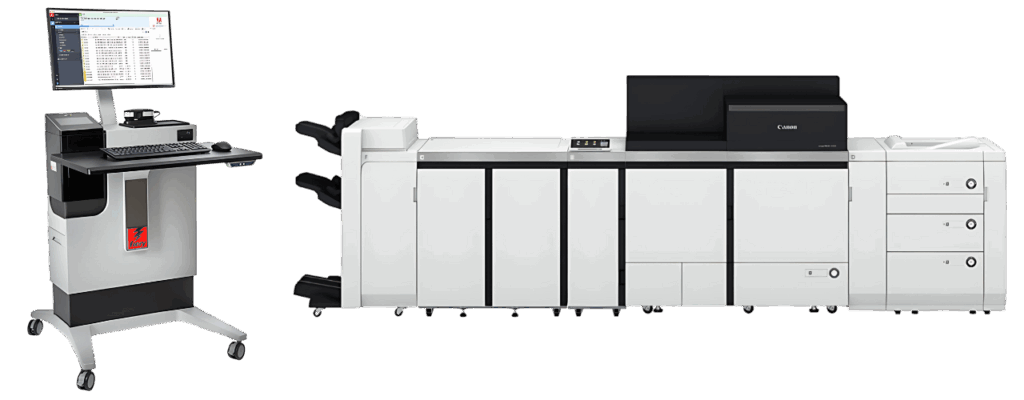
Canon imagePRESS V1350 driven by Fiery
V-Series – Color automation
Overview
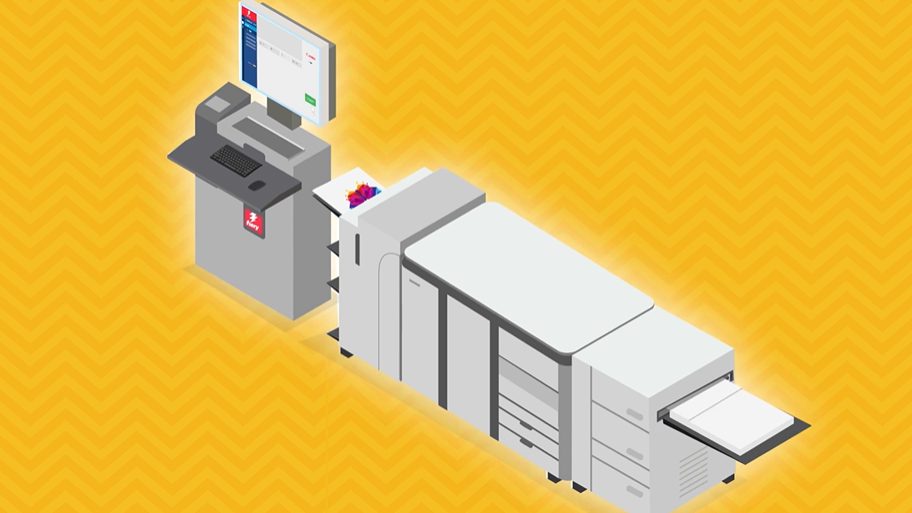
Fiery™ offers an external digital front end (DFE) — imagePRESS Server E9500 — driving the Canon imagePRESS V1350. Based on the Fiery FS500 Pro platform, it offers high-speed productivity, superb image quality, and automated workflows to meet your most exacting requirements. Canon imagePRESS 1350 driven by Fiery Server E9500 benefits from built-in profiles created using our latest color profiling technology, Fiery Edge™. It also includes Fiery HyperRIP, a speed-enhancing technology that processes up to 8 individual jobs simultaneously to maximize your production and incorporates 1-step color management & Zero-touch recalibration, some of the color automation tools to keep your printer always ready to perform its best.
Need more details?
Resources
Fiery server documentation
How do I find which Fiery system and Fiery server version I have?
| Resources | Links |
| Datasheets | imagePRESS Server E9500 |
| Optional Packages | Graphic Arts Pro Package |
| Fiery system what’s new | FS600 Pro |
| Fiery system product guide | FS600 Pro |
| Fiery feature summary | FS600 Pro |
| Fiery system how-to guides | FS600 Pro |
| Fiery security white paper | FS600 Pro |
Download
Latest version of Fiery Command WorkStation
Version 1.0 | |
| Drivers | imagePRESS Server E9500 |
Frequently asked questions while working with Canon imagePRESS V1350 driven by Fiery!
The Canon imagePRESS V1350 powered by the imagePRESS Server E9500 brings together extreme performance and outstanding color control. Designed for demanding production environments, this combination delivers faster turnaround, intelligent automation, and consistent quality across every print run.
Q. What is the imagePRESS Server E9500, and how does it work with the Canon imagePRESS V1350?
The Fiery Server 9500 is a high-performance digital front end (DFE) built on the Fiery FS600 Pro platform. It drives the Canon imagePRESS V1350 with industry-leading RIP speed, advanced automation, and precise color management, helping print providers maximize output quality and operational efficiency.
Q. What makes imagePRESS Server E9500 different from other digital print servers?
Fiery Server 9500 offers advanced features like Intelligent HyperRIP, JobExpert, ImageViewer, and JobFlow Base — not available in most competing DFEs.
Q. Can I operate the imagePRESS Server E9500 remotely?
Yes. With Fiery Command WorkStation, you can remotely access and control jobs from any connected Windows or Mac client.
Q. Is the imagePRESS Server E9500 compatible with both Mac and PC?
Yes. Using Fiery Command WorkStation®, operators can securely access, monitor, and manage print jobs remotely from any connected workstation, providing full flexibility across production environments.
Q. How does the imagePRESS Server E9500 improve uptime and consistency?
The Fiery Server 9500 integrates automated calibration, optional cloud based-color verification, and error recovery tools that minimize downtime and maintain consistent color throughout long production runs. Know more
Q. Does Fiery support API integration?
Yes. Fiery includes APIs that enable integration between the print server and business or production systems, allowing automated job submission, tracking, and data exchange. Know more.
Q. Is training available for imagePRESS Server E9500 users?
Yes. Fiery provides comprehensive training resources, including self-paced eLearning modules, certifications, and instructor-led courses to help operators get the most from their Fiery-driven workflows.
Q. What kind of technical support is available for Fiery users?
Technical support for the imagePRESS Server E9500 is provided through your authorized Canon reseller. For additional self-service resources, users can access Fiery Communities, which offers knowledge base articles, troubleshooting guides, and peer-to-peer support from Fiery experts and other users.
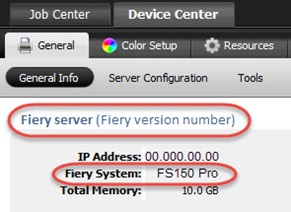
How do I find which Fiery System and Fiery server version I have?
Your Fiery System version is listed in the Device Center General Information tab in Command WorkStation. This information also is accessible on the Fiery configuration page printed via the Fiery server.
Fiery Command WorkStation 6:
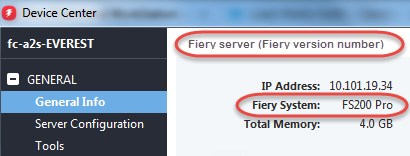
Fiery Command WorkStation 5: